


All the course material is stored in the SQL Crash Course repository.
Hi everyone! Josep and Cornellius Yudha Wijaya from Non-Brand Data here 👋🏻
As promised, today we are publishing the next two issues of our SQL Crash Course – From Zero to Hero! 🚀
I am sure you are here to continue our SQL Crash Course Journey!📚
If this is your first time or you’ve forgotten what we’ll cover, we will examine seven key SQL topics, each divided into multiple posts across Non-Brand Data and DataBites.

📚 Remember last time we already saw:
📌 #17 – Indexing and Optimization
📌 #18 – Generating Modular Code
In today’s topic, we will finish up the Crafting Good Query topic with:
📌 #19 – SQL Execution Order by Josep Ferrer in DataBites
📌 #20 – Query Optimization, which is the current article you are reading!
So don’t miss out—let’s keep the SQL momentum going!
🧱 What is SQL Query Optimization?
SQL Query Optimization is a method that involves refining SQL queries.
Without optimization, SQL Query could:
Waste server resources
Crash under heavy loads
Frustrate users with delays
That’s why SQL Query Optimization comes to help you to:
Improve performance
Reduce resource consumption
Ensure efficient data retrieval
Many methods exist to optimize SQL queries, including the indexing method we have learned previously.

Although this article will further explore the SQL queries, you will still learn many new things.
✅ When to Optimize SQL Queries?
You don't always have to optimize your SQL queries. Here are situations when optimization may be necessary:
👉 Queries are slow or timing out
👉 Handling large datasets or complex joins
👉 Database load affects application performance
👉 Before scaling infrastructure to ensure resource efficiency
Let’s explore a few practical strategies to optimize SQL Queries! 👇
1️⃣ Use EXISTS Instead of JOIN + DISTINCT
/* 🚫 Bad */
SELECT DISTINCT n.*
FROM newsletters n
JOIN posts p ON n.id = p.newsletter_id
WHERE p.name = 'DataBites';

/* ✅ Good */
SELECT *
FROM newsletters n
WHERE EXISTS (
  SELECT 1
  FROM posts p
  WHERE p.newsletter_id = n.id
  AND p.name = 'DataBites'
);
🧠 Why this matters:EXISTS stops scanning at the first match, while JOIN + DISTINCT processes all matching rows before deduping. This reduces I/O operations and avoids unnecessary data shuffling.
2️⃣ Select Only What You Need
/* 🚫 Bad */
SELECT * FROM posts WHERE published_at >= '2024-01-01';

/* ✅ Good */
SELECT id, name, published_at
FROM posts
WHERE published_at >= '2024-01-01';
🧠 Why this matters:
Unused columns bloat memory usage and network transfer. Explicit column selection can cut data volume by 60 %+ in large tables.
3️⃣ Index Strategically
/* 🚫 Bad */
SELECT name FROM posts
WHERE published_at BETWEEN '2024-01-01' AND '2024-03-31';

/* ✅ Good */
CREATE INDEX idx_posts_date ON posts(published_at);
🧠 Why this matters:
Indexes act like a book’s index, they let the database jump directly to relevant rows instead of scanning every page. Date-range queries become 10x faster.
4️⃣ Break Queries into CTEs
/* 🚫 Bad */
SELECT p.id
FROM posts p
JOIN interactions i ON p.id = i.post_id
GROUP BY p.id
HAVING SUM(i.points) > (
  SELECT AVG(total) FROM (
    SELECT SUM(points) AS total FROM interactions GROUP BY post_id
  ) sub
);

/* ✅ Good */
WITH post_totals AS (
  SELECT post_id, SUM(points) AS total
  FROM interactions
  GROUP BY post_id
)
SELECT p.id
FROM posts p
JOIN post_totals pt ON p.id = pt.post_id
WHERE pt.total > (SELECT AVG(total) FROM post_totals);
🧠 Why this matters:
CTEs turn nested spaghetti logic into reusable building blocks. You calculate post totals once and reference them twice – no repeated aggregation.
5️⃣ Avoid SELECT * in Subqueries
/* 🚫 Bad */
SELECT n.name,
  (SELECT * FROM posts p WHERE p.newsletter_id = n.id) AS posts
FROM newsletters n;

/* ✅ Good */
SELECT n.name,
  (SELECT COUNT(id) FROM posts p WHERE p.newsletter_id = n.id) AS post_count
FROM newsletters n;
🧠 Why this matters:
Subqueries with SELECT * pull entire rows even if you only need one value. This is like ordering a pizza to eat just one slice, wasteful and slow.
6️⃣ Use JOIN Instead of Subqueries for Filters
/* 🚫 Bad */
SELECT id FROM newsletters
WHERE id IN (SELECT newsletter_id FROM posts WHERE name LIKE '%SQL%');

/* ✅ Good */
SELECT DISTINCT n.id
FROM newsletters n
JOIN posts p ON n.id = p.newsletter_id
WHERE p.name LIKE '%SQL%';
🧠 Why this matters:
Most databases optimize JOIN filters better than IN subqueries. Joins can leverage indexes on posts.name, while subqueries often trigger full scans.
Putting It All Together
🔍 You now have a query that:
Runs in milliseconds instead of minutes
Uses 70% less memory by avoiding
SELECT *bloatScales gracefully with strategic indexing
Stays readable through CTEs and modular logic
🏁 Conclusion
SQL optimization is iterative, not one-time. Start with:
The slowest query in your system
The most frequently run query
The query with the most extensive dataset
Remember: A 10% improvement on a query running 1000x/day saves more resources than a 50% improvement on a query running once a week.
Once you start optimizing, your SQL Query will become much better.
Once you understand it, you won't revert.
👉🏻 SQL playground with the optimization example
How to Get Started 🚀
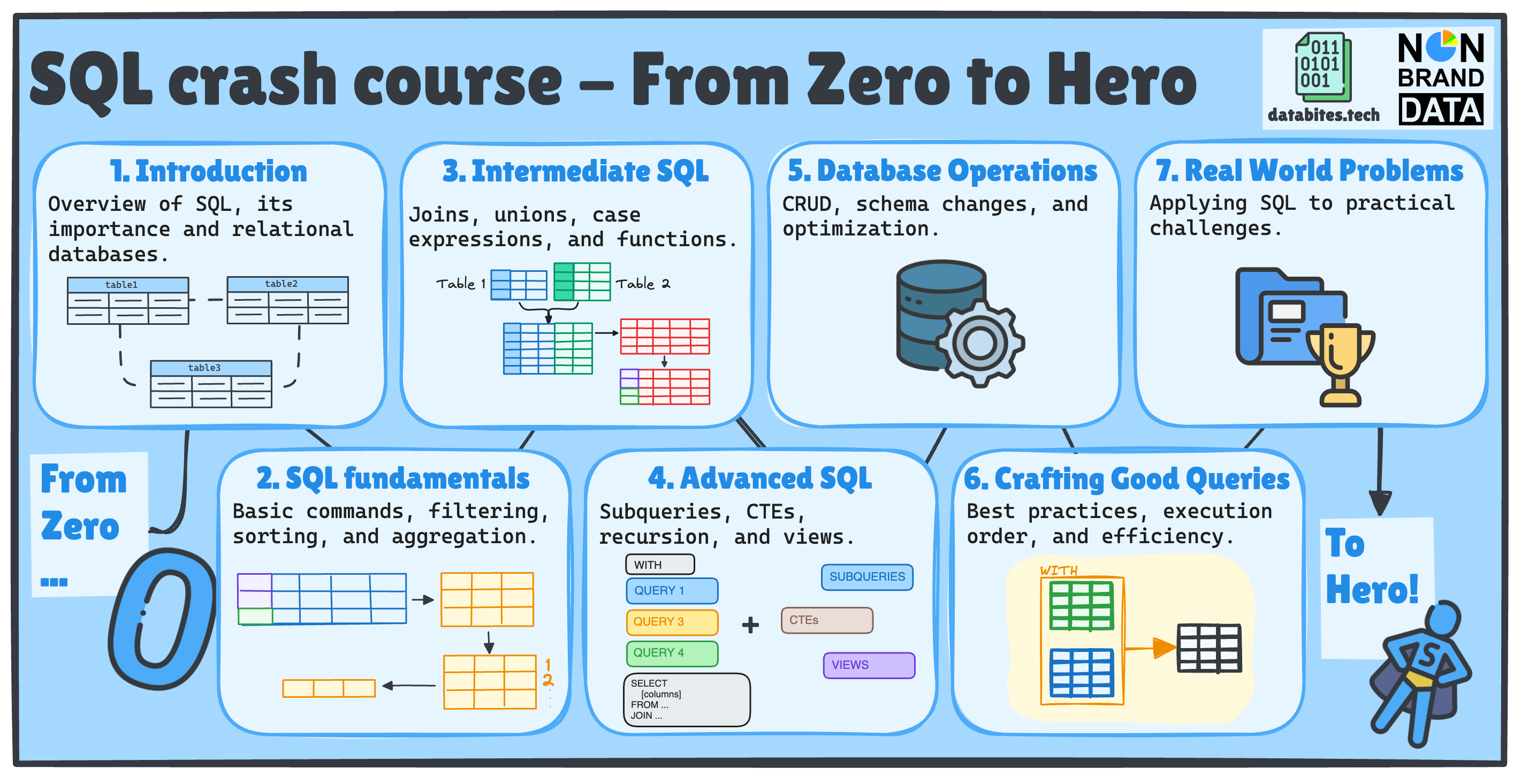
Over the previous weeks, we already going through:
✅ SQL Fundamentals
✅ Intermediate SQL
✅ Advanced SQL
✅ Database Operations
✅ Writing Efficient Queries
In the next issues, we will start working on real-world projects and solving hands-on data problems.
What’s Next? ➡️
To get the full experience and fully immersed in the learning:
👉 Subscribe to Databites.tech (By Josep)
👉 Subscribe to Non-Brand Data (By Cornellius)
👉 Check out the SQL Crash Course GitHub repo
👉 Share with your friend and whoever needs it!
🗓️ Every Thursday, you will have two new issues in your inbox!
Let’s dive in and make SQL less scary, more fun, and way more useful! 🚀
Josep & Cornellius