

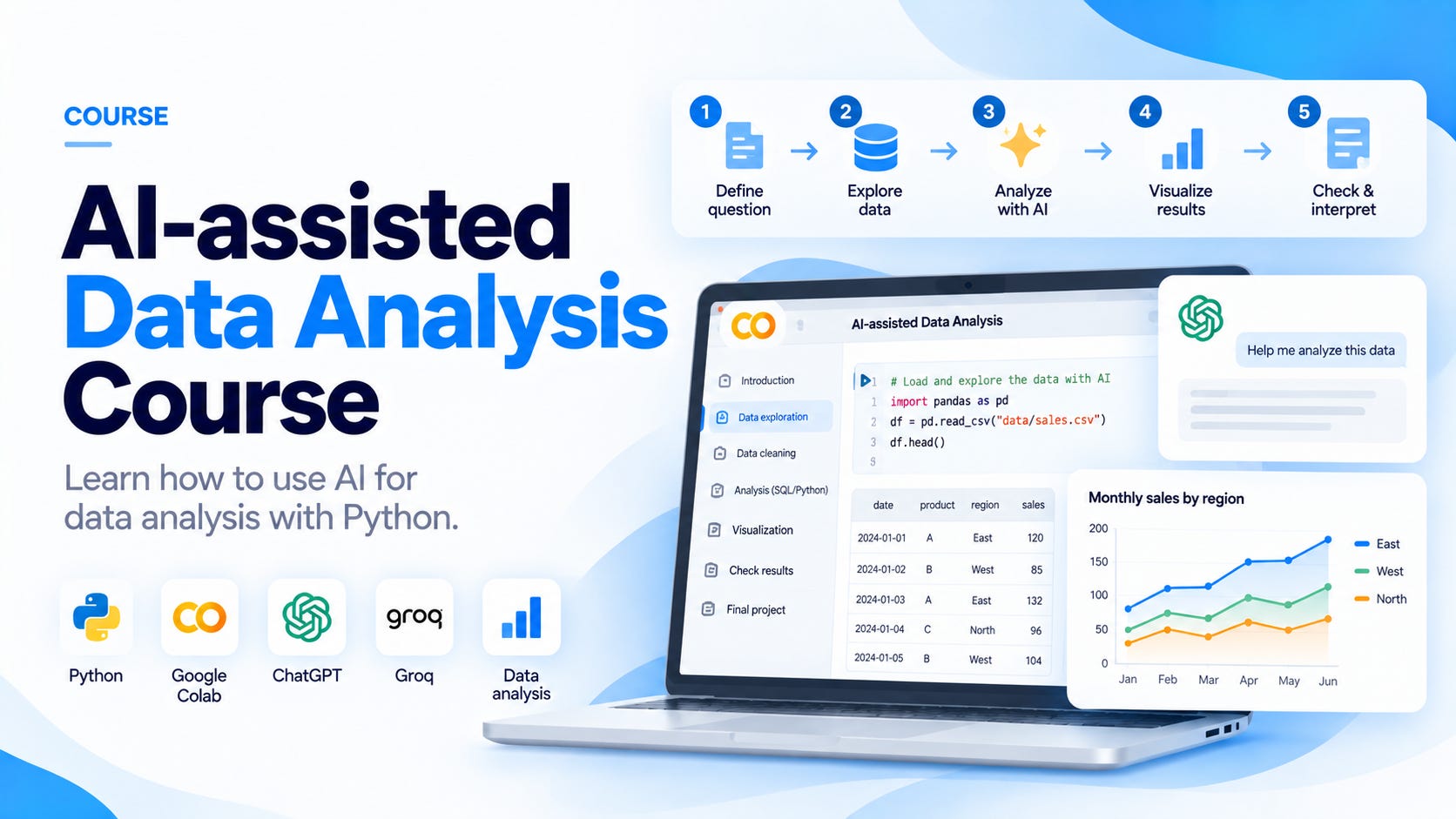
AI-assisted data analysis means using AI to help us understand data and answer a question. We can ask it to suggest an analysis, write Python code, or explain a result.
In this course, we will use Python and AI to analyze a fictional retail dataset. The examples cover sales and refunds, with the requests, code, and results shown as we work through the analysis.
The course will include 35 lesson articles organized into twelve sections, plus a final project. The lessons will include Python activities in Google Colab. The course is still in development. Section 1 will be free, while Sections 2–12 will be included in the Non-Brand Data paid subscription.
What we will learn
We will use a business example to learn each part of the analysis. By following the course, you will learn how to:
Ask AI to clarify a business question and compare possible analysis plans.
Provide AI with the dataset information and definitions it needs.
Generate Python code and use the error messages or incorrect results to find what needs fixing.
Use the results to decide what to explore next with AI.
Evaluate the statistical methods AI suggests and understand when we can use them.
Generate charts and write a report using results we have checked.
Compare prompts or AI responses using examples where we already know the answer.
Build a small AI assistant that can use a selected set of Python functions in Colab.
The examples include the AI requests alongside the Python output. You can follow how the analysis develops and compare your work with the explained solution.
Course sections and lessons
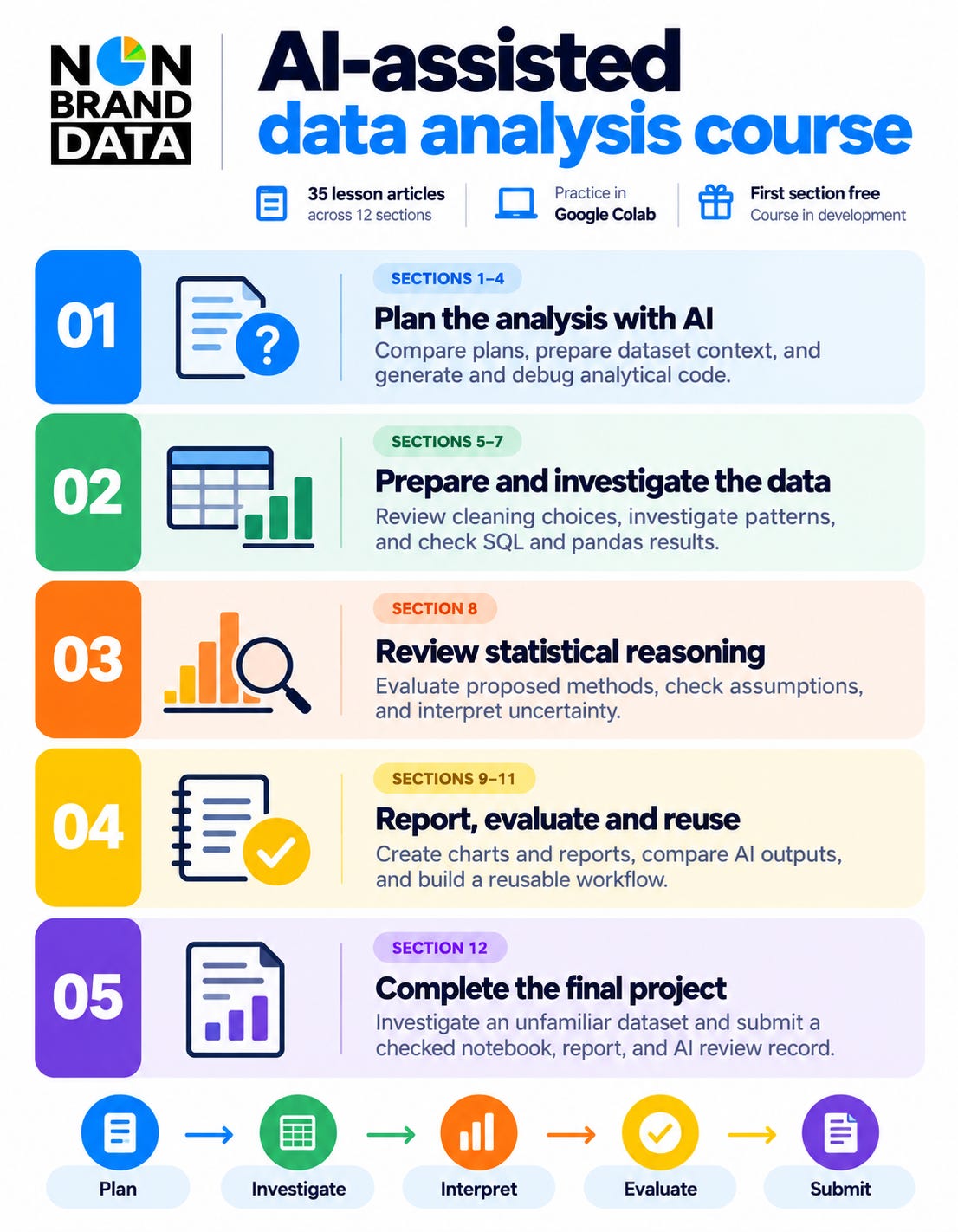
The course will have 35 lesson articles across twelve sections, with a separate final-project brief in Section 12. Each lesson will explain a method through an AI-assisted example. You can run the code and try the activity while following the explanation.
Section 1. Working with AI during an analysis (free)
Section 2. Planning an analysis with AI
Lesson 03. Using AI to identify missing business definitions
Lesson 04. Comparing analysis plans proposed by AI
Lesson 05. Revising the plan when the question changes
Section 3. Preparing dataset context for AI
Lesson 06. Building a data dictionary with AI and Python
Lesson 07. Choosing what data to include in a request
Lesson 08. Keeping definitions consistent across AI requests
Section 4. Generating and debugging analytical code with AI
Lesson 09. Requesting code with defined inputs and outputs
Lesson 10. Debugging with AI using errors and failed checks
Section 5. Using AI to prepare and clean data
Lesson 11. Turning a data profile into an AI-assisted cleaning plan
Lesson 12. Comparing missing-value treatments with AI
Lesson 13. Using AI to suggest category and duplicate rules
Lesson 14. Generating a checked data preparation pipeline
Section 6. Investigating data with AI
Lesson 15. Asking AI for a focused exploratory analysis
Lesson 16. Investigating distributions and outliers with AI
Lesson 17. Using AI to investigate differences between groups
Lesson 18. Following up patterns found during exploration
Lesson 19. Reviewing an AI-generated exploration report
Section 7. Generating and checking SQL and pandas analysis
Lesson 20. Turning metric definitions into SQL and pandas code
Lesson 21. Debugging AI-generated joins and aggregations
Lesson 22. Investigating disagreements between generated implementations
Section 8. Choosing and interpreting statistical methods with AI
Lesson 23. Asking AI to match a method to the question
Lesson 24. Checking independence and sampling assumptions
Lesson 25. Generating and checking bootstrap analysis
Lesson 26. Reviewing AI suggestions for group comparisons
Lesson 27. Correcting statistical explanations written by AI
Section 9. Creating charts and reports with AI
Lesson 28. Generating chart options for an analytical question
Lesson 29. Improving AI-generated charts through feedback
Lesson 30. Drafting a report from verified analytical results
Section 10. Evaluating AI-assisted analysis
Lesson 31. Building reference cases to evaluate AI outputs
Lesson 32. Comparing prompts and model responses fairly
Lesson 33. Auditing a complete AI-assisted analysis
Section 11. Building a reusable AI-assisted workflow
Lesson 34. Connecting AI requests to approved analysis functions
Lesson 35. Rerunning and maintaining an AI-assisted workflow
Section 12. Final project
Complete an AI-assisted analysis using a separate dataset. The project brief will include these three parts:
Prepare the analysis plan with AI.
Complete and check the investigation.
Write the report and review the work.
I will add a link to each lesson as it is published. The titles above are placeholders while the lessons are in preparation. Each section will include Colab activities and solutions with explanations.
Who the course is for
This course is for readers who already know basic Python and want to use AI in their data analysis work. You should be familiar with loading a CSV into pandas and performing basic filtering and grouping.
You should be comfortable reading a short pandas calculation. Some SQL familiarity will also help with the lessons that compare SQL and Python.
If you are preparing for a data role, you can use the exercises to practise explaining your analysis, including the metric you chose and the calculations behind the result.
The review activities are also useful if you check other people’s analysis. We will discuss what I would look at before accepting a calculation or explanation.
How we will use Google Colab and AI
We will use Google Colab to run the Python examples in a browser. You will need a Google account, but you won’t need to install Python on your computer. The notebooks will include the setup and data-loading steps. You can read about Colab and its free resources here.
For the main live AI examples, we will use Groq’s free plan. The course will explain how to create your own API key and use it in Colab. You don’t need previous experience with AI APIs to follow the setup.
You can use another suitable AI assistant for the exercises and record which one you used.
A paid AI subscription or API plan isn’t required. Free services have usage limits, so the course will also include example responses you can review when live access isn’t available. The examples will be labeled to show whether they are recorded AI responses or examples written for teaching. You can check Groq’s current usage limits here.
How the exercises work
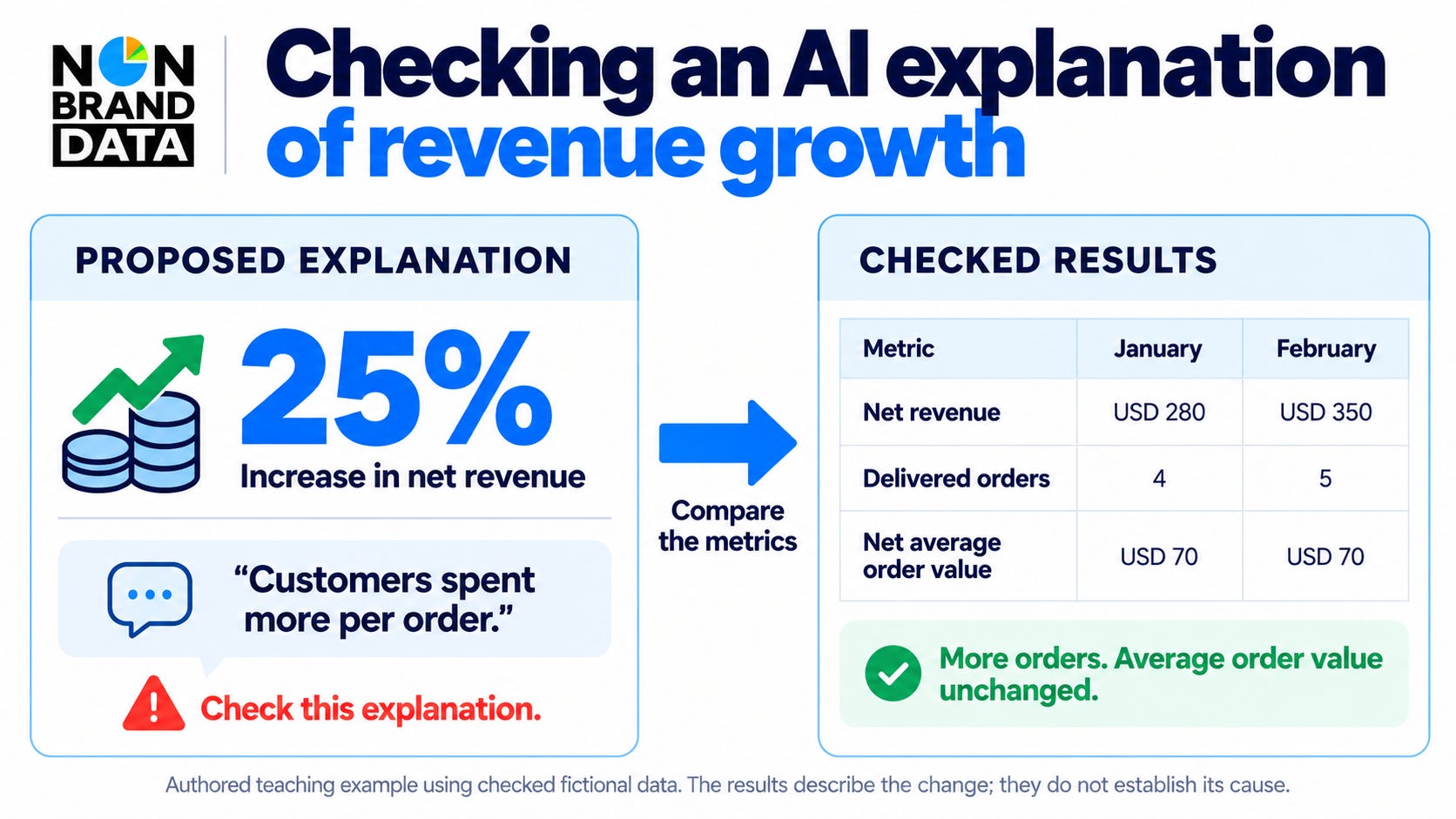
Let’s look at the revenue example above. January revenue is USD 280 and February revenue is USD 350, an increase of 25%.
Sales increased along with the number of delivered orders, which went from four to five. The average order value remained USD 70. We will use the notebook to calculate these values and compare them with the explanation suggested by AI.
Another example starts with a date conversion error. We will give AI the error message and the relevant rows, then try the suggested change in the notebook.
The explanations will stay close to the code and its output. You can run each part in Colab while reading, with the exercise and explained solution provided at the end.
As the course progresses, you will try more of the analysis yourself. The early lessons will show the complete example, while later lessons will ask you to choose the next step before reading the solution. In the final project, you will decide how to use AI and explain what you accepted or changed.
The datasets and final project
The course will include fictional retail data about orders, customers, products, and refunds. Each lesson will link to a Google Colab notebook with the data-loading steps included. The datasets and supporting files will also be available in the course repository.
We will start with small examples before using a larger dataset to explore sales and refunds. You can run the analysis while reading and use the notebook to try the exercises.
The final-project lesson will provide a separate dataset, a starter notebook, and the project instructions. You will use AI to help develop your analysis and submit the completed notebook with a short report explaining your findings and how you checked the results.
The Lesson 1 notebook and exercise solution are available in the course repository. More notebooks and datasets will be added as the lessons are prepared.
Using the course with my book
I co-wrote Python Data Analysis, Fourth Edition with Avinash Navlani, published by Packt. The book covers Python data analysis methods, including pandas, statistics, visualization, and data cleaning. It also explores machine learning, LLMs, and methods for working with larger datasets.
The book introduces AI-assisted cleaning and coding. We will develop that material further through a connected analysis, including the follow-up requests and changes made after examining the results.
If you are reading the book, Chapters 2, 3, 5, 6, 7, and 15 are the most relevant to this course. The lessons will include optional reading suggestions when you want more explanation of a method.
You don’t need to buy the book to follow the course or receive the certificate. You can use it as an additional reference when you want to study the Python methods in more detail.
You can find Python Data Analysis, Fourth Edition on Packt here.
I also plan to develop live workshops based on selected topics from the book. I will share more information when the sessions are ready.
Certificate of Completion
After completing the course, you can apply for the Non-Brand Data AI-assisted data analysis Certificate of Completion.
The process will follow the SQL and analytics course. You will need to:
Complete the required lessons across the twelve sections and confirm that you have finished the course material.
Score at least 80% on the final assessment, or 20 correct answers out of 25.
Submit your final notebook and short report, including the calculations used to check the results and a short explanation of your AI use.
The project review will check whether:
The code runs correctly and answers the business question.
The metric definitions and time period are clear.
The important results have been checked using separate calculations.
You have explained how you reviewed the AI-generated work.
The findings match the results, and the limitations and recommendations are reasonable.
At least four of the five checks must pass. Three are required: the code runs correctly, the important results are checked separately, and you explain how you reviewed the AI-assisted work. Incorrect numbers that have not been explained or conclusions that the data does not support will need a correction.
You can use AI during the course exercises and final project. However, the final assessment must be completed using your own reasoning, without generative AI or answers from another person. You can use the course material and your notes, as well as documentation and ordinary Python or SQL execution.
If the project needs a correction, you can revise it without repeating an assessment you have already passed. You do not need to submit proof from every lesson. When live AI access is unavailable, you can use the supplied review examples, identify them as such, and explain how you checked the results.
The final project brief will include the assessment and application links when they are ready. The certificate will have your name and a verification record. It is a Certificate of Completion, not an accredited professional certification.
Course access
Section 1 will be free in full, including its two lessons and practice activity. Sections 2–12 and their supporting materials will be included in the Non-Brand Data paid subscription.
You can follow the lessons at your own pace and use this page as the course index. Related lessons may be published together, with one announcement for the section. The course is still in development, and I will share the release schedule when the materials are ready.
The first section will use a small revenue example to introduce AI-assisted analysis. We will compare the suggested answer with a calculation we can check by hand and explain why the results might be different.
Subscribe to Non-Brand Data to receive the free first section when it is published.