

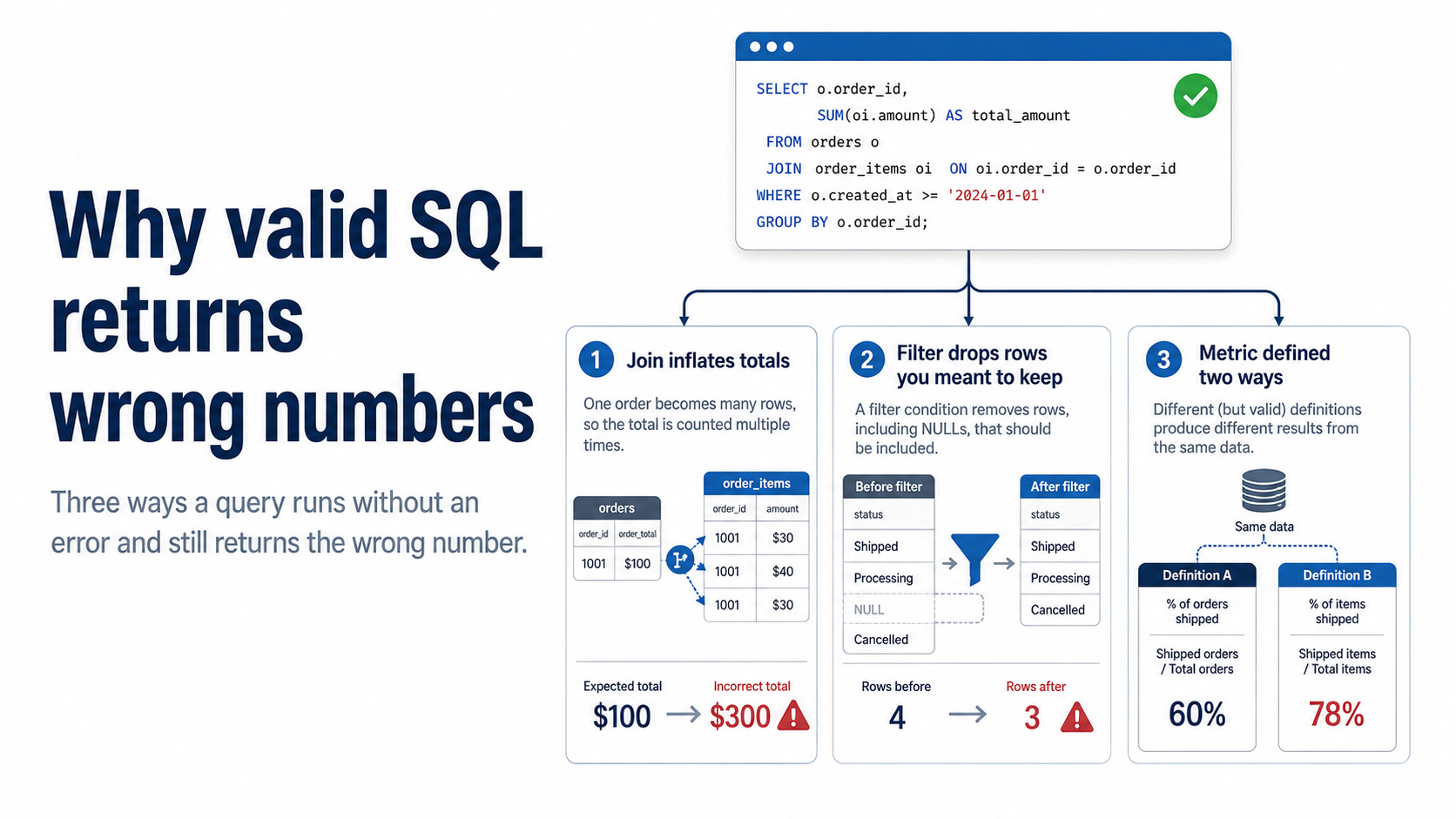
A query that runs is not necessarily right. Running means the database understood you, nothing more. The syntax can be clean, and the number can still be wrong.
I have reviewed a lot of SQL, and most wrong numbers come from three places:
A join that inflates a total,
A filter that drops rows you meant to keep, and
A metric that two people define differently.
All three pass without errors, which is exactly why they were considered correct.
An agent boosts their frequency by swiftly generating and executing queries, leading to more outputs with less verification. While typing is now a quick and inexpensive step, confirming accuracy still depends on your judgment.
Below are examples, including the query and the fix, on a small dataset you can try yourself:
Well, curious about it? Let’s get into it.
1. Joins that inflate a total
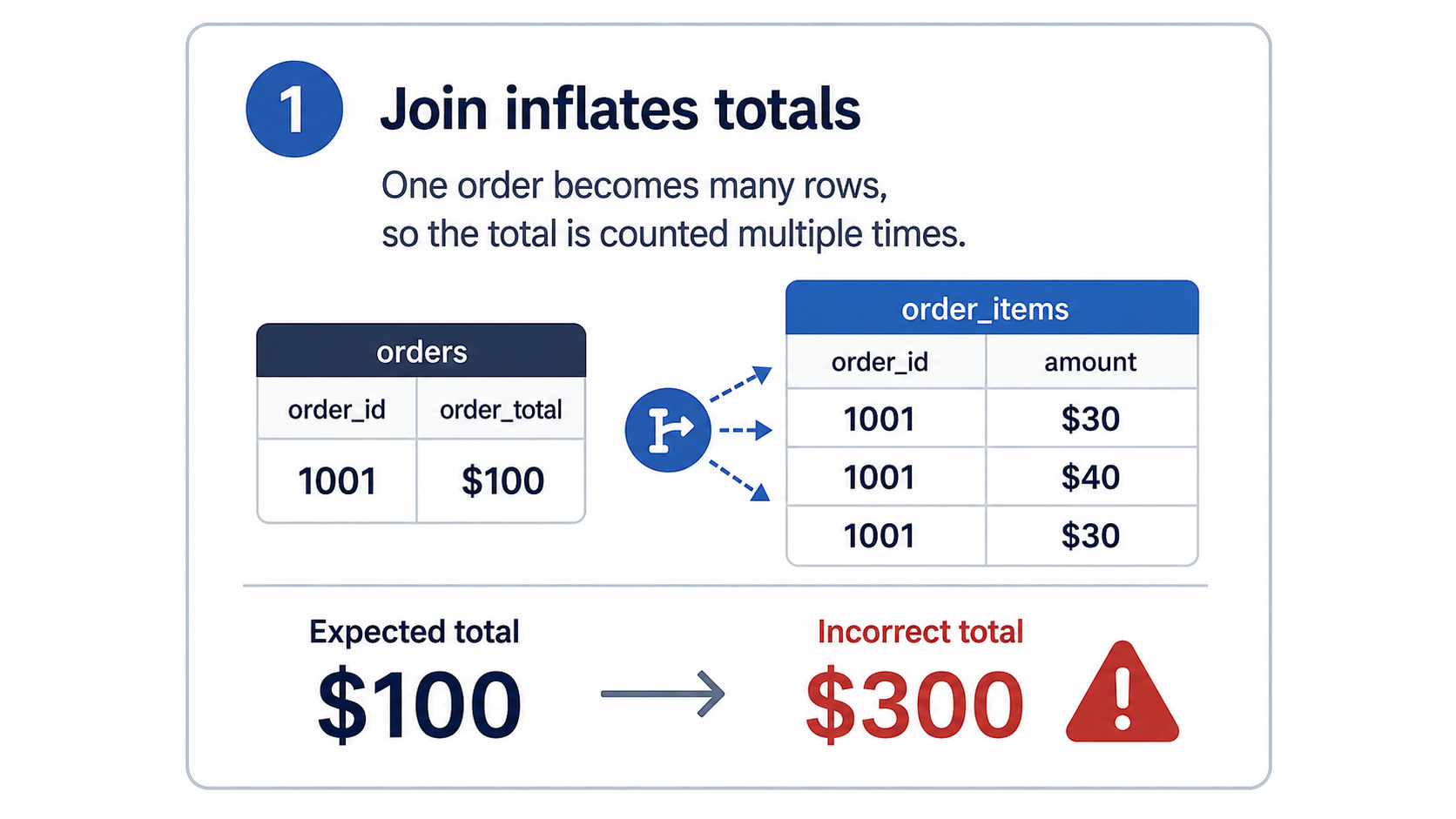
You are asked for total revenue. You have orders and items, so you join them and add up the amount.
SELECT SUM(o.amount) AS revenue
FROM orders o
JOIN order_items i ON i.order_id = o.order_id; -- 1140
It returns 1140. The real total is 740, and 1140 is not obviously wrong, so it goes into the report.
A join repeats each row once for every match on the other side. Order 1 has three items, so the join turns it into three rows, each carrying the order’s amount of 100. Sum the column, and you add that 100 three times. Order 3, with two items, gets counted twice. Eight orders become eleven rows, and the amount for each order is added once per item.
Revenue lives at the order level, so add it there without the items:
SELECT SUM(amount) AS revenue FROM orders; -- 740If you need the items in a single query, roll them up into one row per order first. Either way, count the rows before and after any join. Eight orders should not become eleven rows unless you meant them to.
Ask: Does the total change when you remove the join? If it does, the join is moving the number, and someone should know why, as that number came out too high.
The next bug does the opposite and is easier to miss.
2. Filters that drop rows you meant to keep
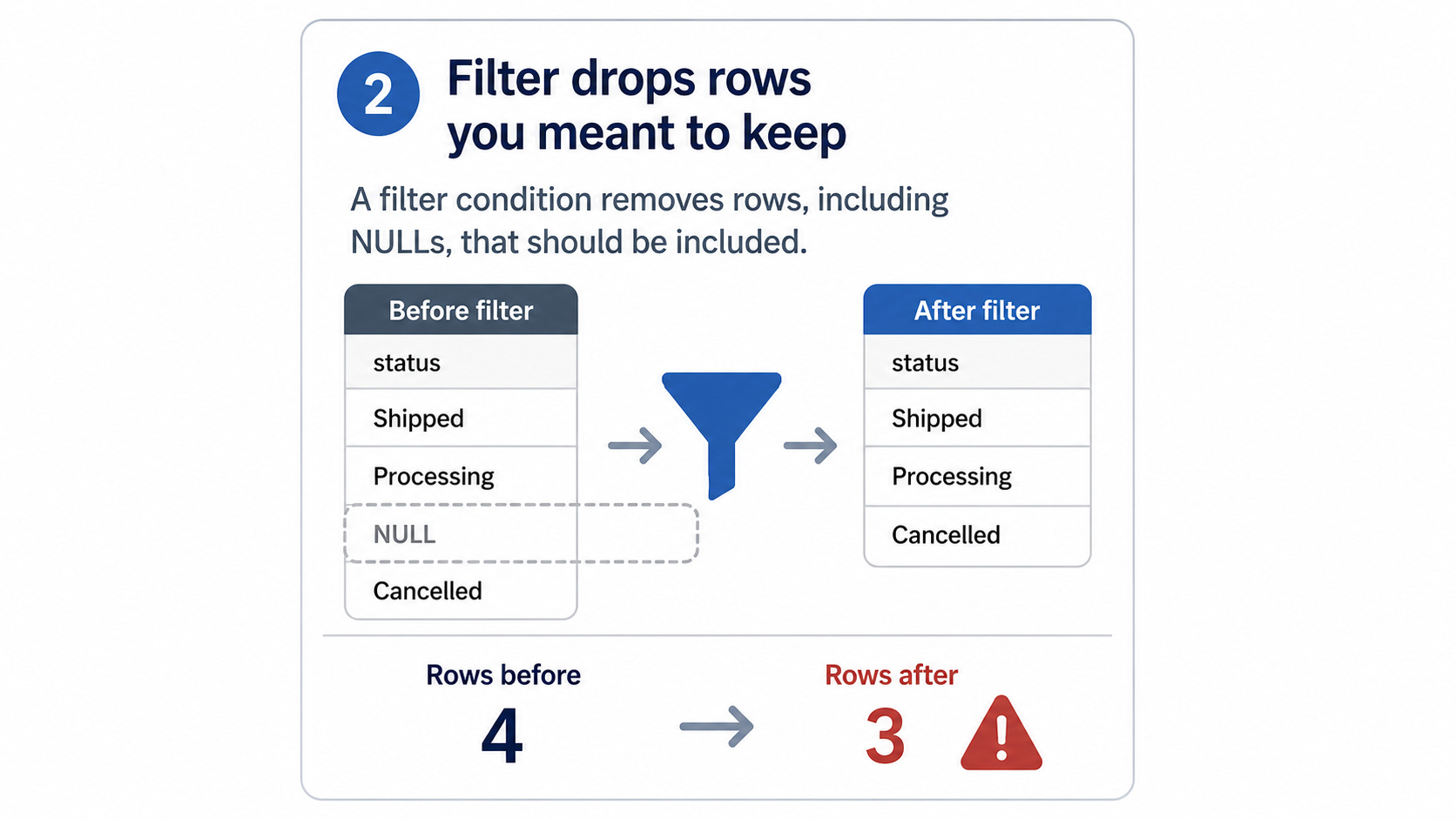
There are eight orders, and one is canceled, so “not canceled” should be seven. This returns six:
SELECT COUNT(*) FROM orders
WHERE order_status <> ‘canceled’; -- 6
The missing row is the order with no status. When comparing anything to NULL, SQL returns neither true nor false but unknown, and WHERE keeps only what is true. So NULL <> ‘canceled’ is unknown; the row fails the test, and it drops out. You never chose to exclude it.
Dates break the same way, and they are harder to spot. Store timestamps in UTC, filter by a local date, and orders near midnight land on the wrong day. A filter for “all of January” in local time loses the orders that UTC has already pushed into February, and nothing warns you.
The fix is to decide what happens to the missing value yourself, instead of letting the comparison decide:
SELECT COUNT(*) FROM orders
WHERE order_status IS DISTINCT FROM ‘canceled’; -- 7
IS DISTINCT FROM compares NULL as a real value, so the row stays. For dates, filter in the zone where the data is stored. In both cases, look at how many rows you kept and dropped before you trust the count.
Ask: What did the filter keep and drop, and was the missing case handled intentionally?
The first two bugs were caused by SQL doing something you did not expect. The last one is stranger. The SQL does exactly what each person asked for, and they still disagree.
3. Metrics that two people define differently
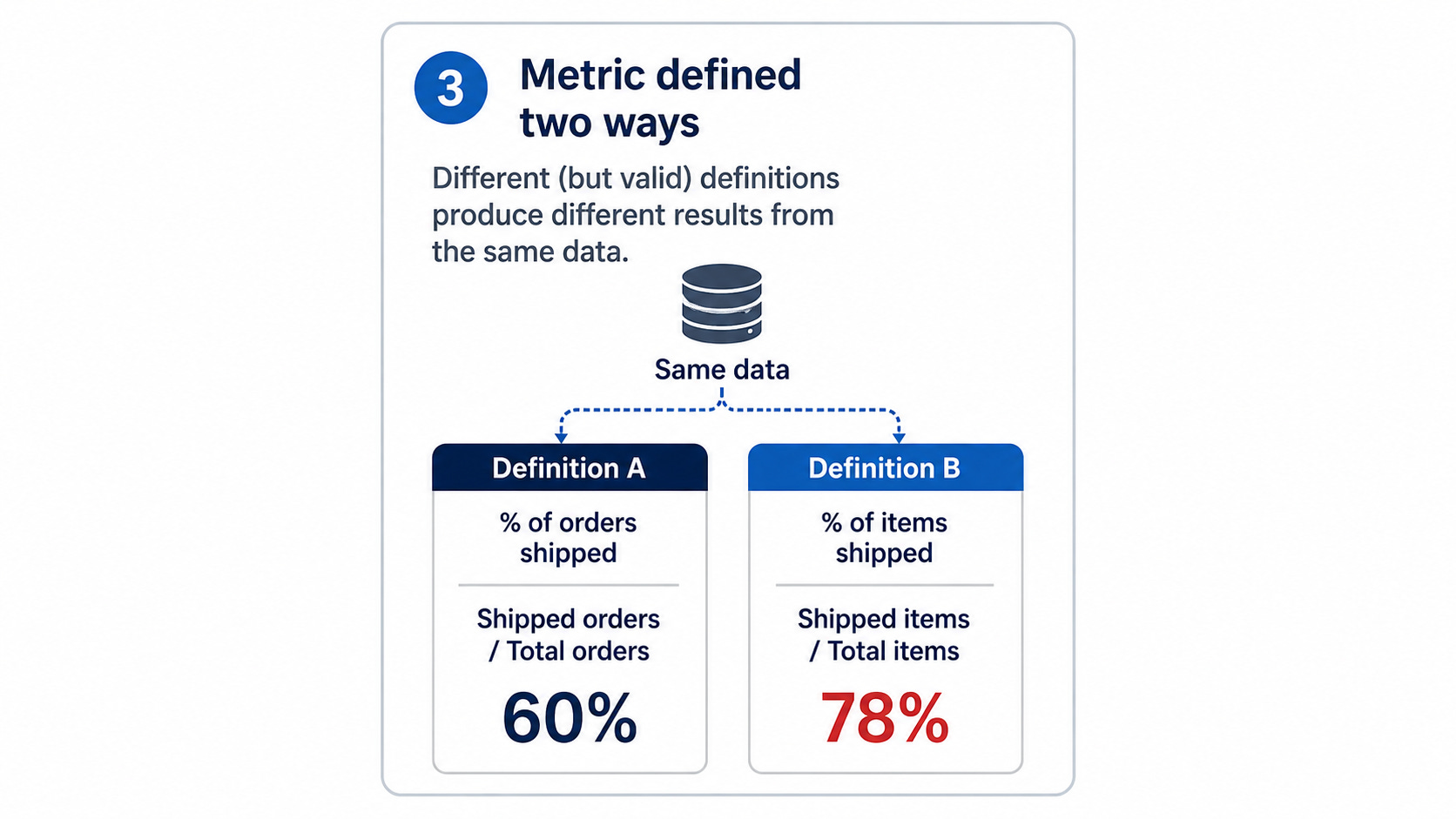
Two analysts run the same data and report two numbers: 60 percent and 20 percent. Both wrote correct SQL.
“Repeat purchase rate” sounds precise, and it is not. It hides three choices, and the two are made differently. The first counts any customer with two or more orders across all customers:
SELECT ROUND(100.0 * COUNT(*) FILTER (WHERE orders_count >= 2)
 / COUNT(*), 0) AS repeat_rate_pct
FROM (SELECT customer_id, COUNT(*) AS orders_count
 FROM orders GROUP BY customer_id) c; -- 60
Three of the five customers have a second order, so 60 percent. The other analyst set a higher bar: two delivered orders inside 90 days, over everyone who ordered.
WITH delivered AS (
 SELECT customer_id, order_ts
 FROM orders WHERE order_status = ‘delivered’
),
repeat_customers AS (
 SELECT d1.customer_id
 FROM delivered d1
 JOIN delivered d2
 ON d1.customer_id = d2.customer_id
 AND d2.order_ts > d1.order_ts
 AND d2.order_ts <= d1.order_ts + INTERVAL ‘90 days’
 GROUP BY d1.customer_id
)
SELECT ROUND(100.0 * COUNT(DISTINCT customer_id)
 / (SELECT COUNT(DISTINCT customer_id) FROM orders), 0) AS repeat_rate_pct
FROM repeat_customers; -- 20
Now one customer qualifies. Of the three with two orders, one had a canceled second order, one ordered again more than 90 days later, and one had two delivered orders close together. So 20 percent.
The data and skills are identical, yet there's a threefold gap, and neither analyst erred. The key differences are three unrecorded aspects: who is considered a customer, what qualifies as a purchase, and the time window used. A tool cannot resolve these because they relate to the business context, not just the database's capabilities.
The fix is simple but effective: write the metric as a single sentence that includes its denominator and window before touching SQL. If two people write different sentences, that is the real disagreement, and you found it early.
Ask: What is the definition, in one sentence, including who counts, over what window, and what is counted?
What to check before you trust a number
Most wrong numbers fail in one of three places, so those are the three to check.
The first is the grain: what one row represents, and whether a join changed it. The second is the filter: which rows it kept, which it dropped, and how it handled the missing values. The third is the definition: what the metric actually means, written as one sentence that two people would agree on.
This isn't about rushing SQL development now that it's affordable. Instead, focus on identifying critical areas where a seemingly correct query might still fail, and check them up front before outcomes impact decisions. An agent enhances this process by providing reliable results more quickly than manual checks, although it won't notify you if a result is wrong.
Don’t forget that we will have our certified SQL courses soon! Meanwhile, you can also visit our previous SQL written courses.
