

SQL is one of the most common skills you need for a data role. Most of us start by learning SELECT, WHERE, and how to join tables. These are important, but knowing the syntax doesn’t always mean the answer is right.
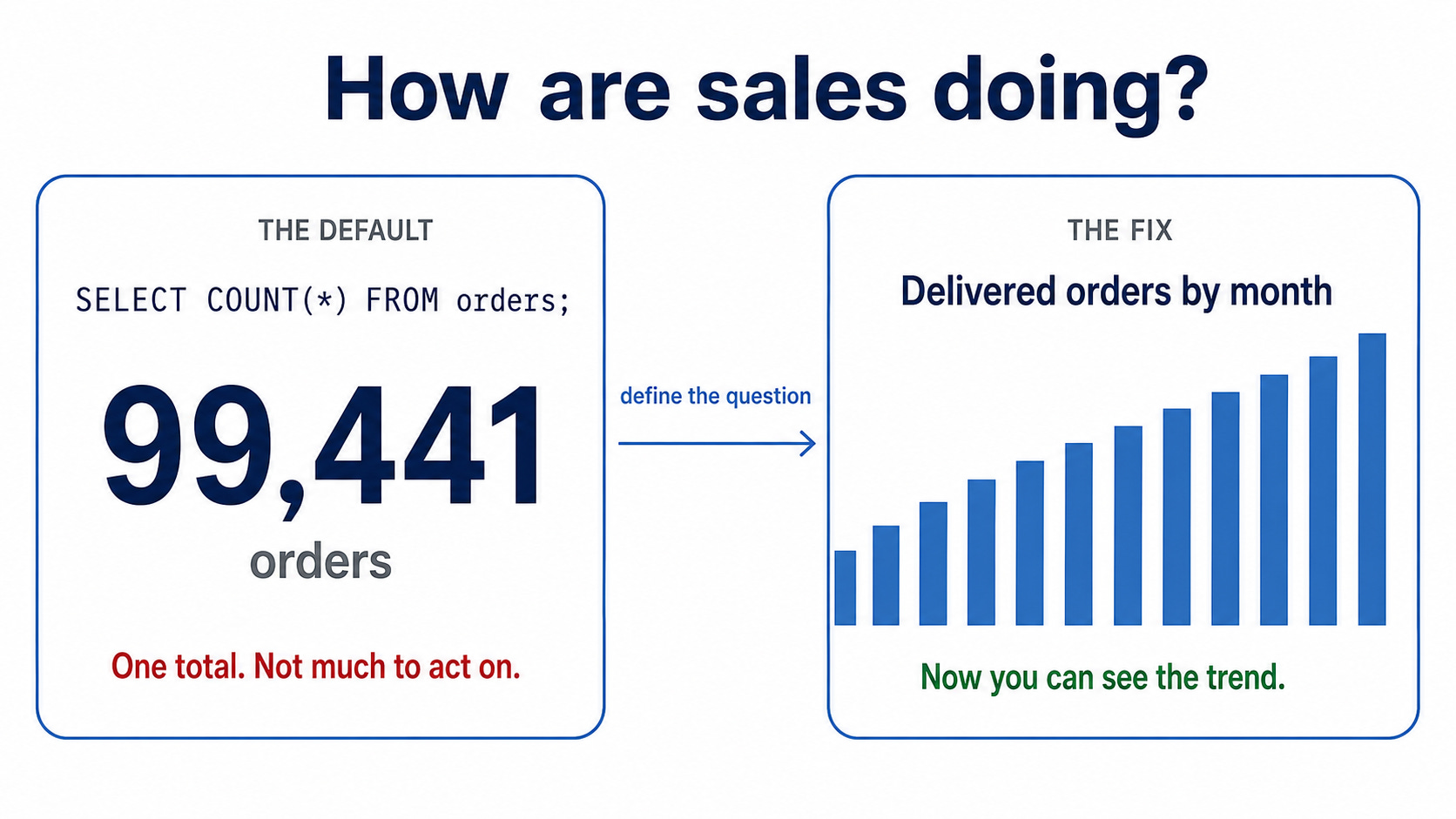
For example, a SQL query can run without errors and still return the wrong number. In my experience, this is where SQL work becomes harder. You need to decide what to count, check if the result makes sense, and explain why you did it that way.
That is what I want to focus on in this course. There are fourteen short modules, and each one presents a SQL problem where the query may look correct but still produce the wrong answer.
Module 1 is free and available now. You can run every query directly without installing anything.
What’s inside
The SQL and Analytics Course contains 14 modules covering the analytical process from defining the question to writing the final report.
All 14 modules are now available.
Module 1 is free, while Modules 2 to 14 are included in the paid subscription.
Each module introduces a SQL problem, explains how we can solve it, and includes examples and exercises. You can follow the lessons at your own pace.
Start with Module 1: Getting the Question Right Before Writing SQL, or explore the complete SQL module archive.
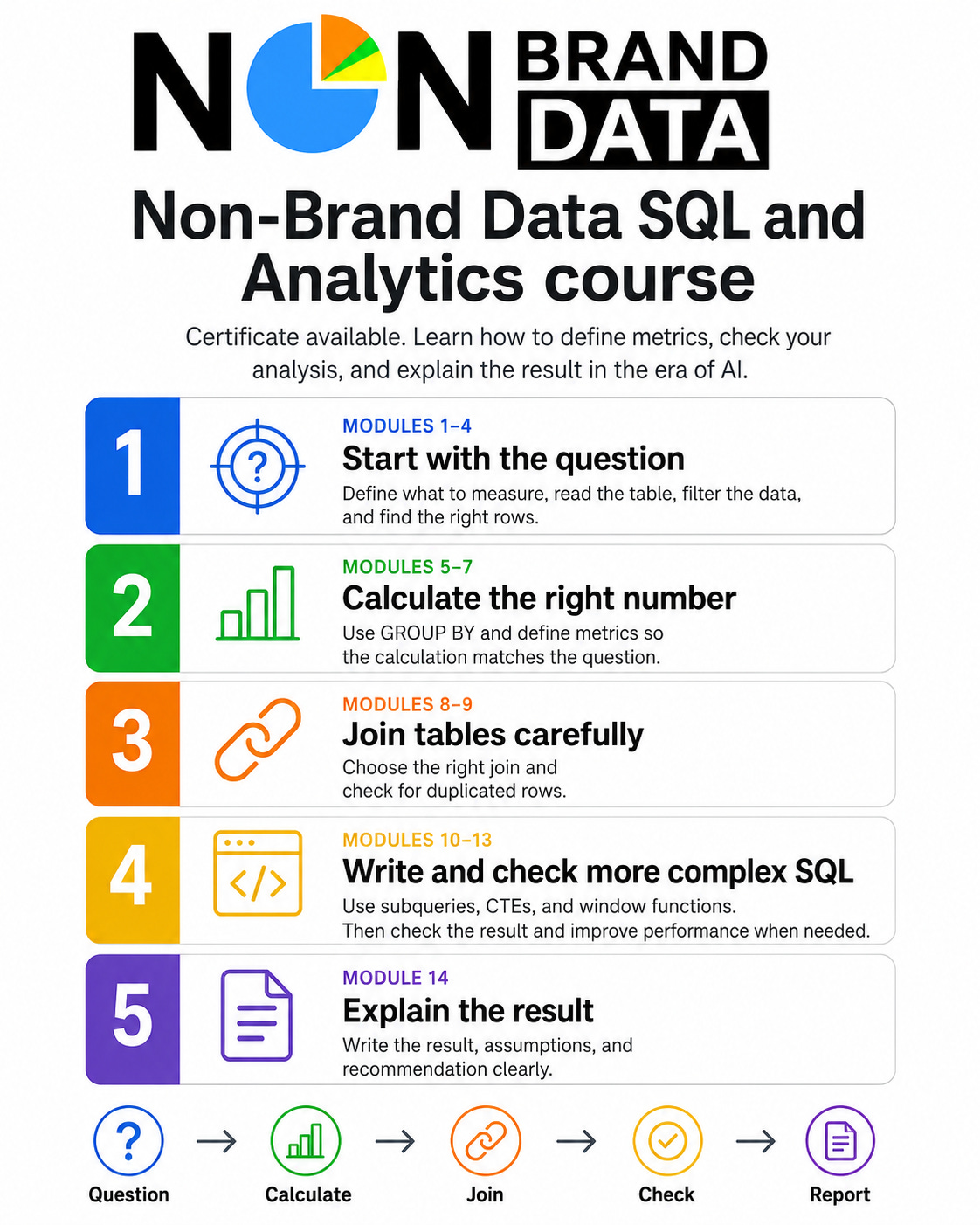
Getting the question right before writing SQL (free, available now). Before writing the query, we decide what we actually want to measure.
SELECT and FROM: reading the table. We use
SELECTandFROMto choose the data, but first we need to know what one row in the table represents.Filtering data with WHERE and NULL values. A filter can remove more rows than we expect, especially when NULL values, dates, and time zones are involved.
Finding the top results with ORDER BY and LIMIT. We use sorting and limiting to find the top results, including how to handle ties.
Counting the right thing with GROUP BY.
COUNTandSUMare easy to write, but we still need to make sure the grouped result matches what we want to count.WHERE and HAVING: filtering before and after GROUP BY. We will see how the result changes depending on when the filter is applied.
How to define a metric clearly. We decide the numerator, denominator, and time period so someone else can calculate the same metric.
Choosing between INNER JOIN and LEFT JOIN. The join we choose determines which rows remain in the result and which disappear.
When a join increases your numbers. A one-to-many join can duplicate rows and increase the total count, so we will learn how to identify and verify it.
Breaking a query into steps with subqueries and CTEs. We use smaller query steps when the SQL becomes harder to read and check.
Using window functions without changing the row count. We will use partitions, ordering, and frames for calculations such as running totals and ranks.
Checking whether your result is right. A query that runs successfully is not enough; we compare the result against known numbers.
When a SQL query needs optimization. We review the execution plan and assess whether speeding up the query is actually necessary.
Writing the result and recommendation. We conclude by explaining the result, the assumptions we made, and our recommendations.
Complete the course and receive your certificate
After completing all fourteen modules, you can apply for the Non-Brand Data SQL and Analytics Certificate of Completion.
Module 14 explains how to prepare your final SQL report and provides the complete certificate submission instructions. You don’t need to register or submit anything before reaching the final module.
After completing Module 14:
Take the final assessment and score at least 80%.
Prepare the short SQL report explained in Module 14.
Use the certificate application link provided at the end of Module 14 and on the assessment passing page.
If your report needs a correction, you can revise it without repeating the course or final assessment.
This is a verifiable Certificate of Completion. It is not an accredited professional certification.
What we would learn
Writing SQL that can run is only one part of the analysis. We also need to understand what the query calculates and whether the result answers our original question.
By the end of this course, we would learn how to:
Turn a general business request into a question that we can answer with SQL
Understand what one row represents and decide what we want to count
Use filters, aggregations, and joins without removing or multiplying data by accident
Define a metric so another person can calculate it in the same way
Organize a complicated query into smaller steps that are easier to check
Validate the result before using it for our analysis
Communicate the findings, limitations, and recommendations in a short report
Who it’s for
If you’re looking for your first or next data role, this course can help you go beyond SQL syntax. In an interview, you might be asked why you chose a certain metric, which rows you counted, or how you know the result is correct. We will practice these kinds of questions throughout the course.
If you’re still early in a data job, running the query is only one part of the work. You also need to check the result before sending it, explain anything that might affect the number, and know what to do when the result looks strange.
If you review other people’s analysis, each module also has a manager’s view. This part shows what I would check and what questions I would ask when reviewing the work.
How each module works
Each module starts with a SQL problem. The first query might run without an error, but the result can still answer the wrong question, remove important rows, or count the same value more than once.
We use two scenarios to understand what happened and how to correct it. In Modules 2 to 14, the first scenario is available before the paywall, while the second scenario continues the lesson for paid subscribers.
For each scenario, we:
Inspect the source data and understand what one row represents
Run the first query in the SQL playground
Compare the result with the question we want to answer
Explain why the result could be incomplete or misleading
Update the query and check how the result changes
Decide what we can reasonably conclude from the final result
The screenshots show the actual SQL output. When the result table isn’t enough, a diagram explains ideas such as row grain, join fan-out, or a window frame.
After the scenarios, each module includes:
What I would check: the questions I would ask before accepting the analysis
Try it: one exercise using the teaching data and another using your own data
Keep this: a downloadable checklist, template, or SQL pattern
Mark this module complete: what you should finish or save before continuing
Next: how the lesson connects with the following module
The amount of guidance changes as the course moves forward. The early modules show the complete process. In the middle modules, you complete part of the query or decision. In the final modules, you see the problem first and try it before reading the solution.
What you should know already
If you can write a SELECT with a WHERE clause and have tried a join before, you’re good to start. It’s fine if joins still feel confusing.
You don’t need to know CTEs, window functions, or query tuning yet. We will learn those in the later modules.
If SQL is completely new to you, I would suggest doing any free introduction to SELECT and WHERE first. Then you can come back here. This course starts after the basic syntax because I want to spend more time on deciding what to count, checking the result, and explaining your choices.
The dataset and what you build
Every module has a live SQL playground. Click the link; the tables are already there, and you can run the query while you read. You don’t need an account or to install anything.
The course SQL scripts are also available on GitHub if you want to keep them.
The examples use small samples from real e-commerce data. I keep them small so you can read the rows and see exactly where a wrong number comes from.
At the end of the course, you will choose your own question and do the analysis using the same process. This becomes your course project, which you can use in an application or talk about during an interview.
What you earn
The course has a Certificate of Completion, and I also plan to add a separate Verified Project later.
To get the Certificate of Completion, you need to finish all fourteen modules and their “Try it” activities. There is no timed exam.
At the end, you fill in a short form with your name and email, confirm that you finished the work, and write a short reflection about one decision that changed your analysis. Once I check it, you’ll receive a digital certificate with your name and its own verification page.
The Verified Project will be different. I plan to add it once the rubric and review process are ready. You’ll do an analysis using your own question, explain some of the decisions you made, and answer questions about your work. The certificate will also link to the reviewed analysis.
So, the Certificate of Completion shows that you finished the course. The Verified Project will show that your project was also reviewed.
Neither one is an accredited SQL certification.
See a sample Certificate of Completion.
Why I made this
I’ve worked with and reviewed a lot of SQL over the years, and I keep seeing similar problems.
For example, a join can double-count rows, two people can calculate the same metric differently, or a query can answer a different question than the one we originally wanted. The SQL itself can still be correct.
In my experience, writing the query is often not the hardest part. The harder part is knowing what to count, what to check, and whether the result actually makes sense.
Most SQL tutorials naturally spend a lot of time teaching the syntax. I want this course to spend more time on what happens after that. We will still learn SQL, but we will also learn how to check the result and explain why we made certain choices.
Common questions
Do I need to know SQL already?
Some. If you can use SELECT and WHERE and have tried a join before, that is enough to start. If you have never written SQL before, I would suggest taking a free beginner SQL tutorial first and then coming back.
Will this help me get a job?
I hope it helps you prepare, but no course can promise you a job. What we can do is practice the SQL and analysis questions you might get in an interview. You will also finish with an analysis that you can show or talk about when applying for a role.
Is the certificate a professional SQL certification?
No. It is a Certificate of Completion for finishing the fourteen modules and their exercises. The Verified Project I plan to add later will include a project review, but that will not be an accredited certification either.
I already work as an analyst. Is it too basic?
The first few modules might be easy if you already use SQL every day. The later modules go more into metric definitions, joins that change your numbers, checking results, query performance, and reporting.
What do I need to follow along?
Only a browser. The data is already loaded in the SQL playground, so you don’t need to install anything or create an account.
Does the SQL work anywhere else?
The playground uses PostgreSQL, so the examples use PostgreSQL syntax. Most of the SQL will look familiar elsewhere, but if something works differently in MySQL or BigQuery, I’ll mention it in the module.
Is any of it free?
Yes. Module 1 is completely free. The other modules are for paid subscribers.
Start here
Module 1, Getting the question right before any SQL, is free and takes around fifteen minutes.
We start with a simple request for one number. The query gives us an answer, but when we look more closely at the question, we see a few things we still need to decide before using that number.
You can run all the SQL in the playground as you read, then try the exercise yourself.
I’ll add the other modules here as they are published. You can subscribe to receive a release notice when a new one is ready.